MetaMask Wallet Review 2025: The Most Popular Crypto Wallet — But Is It the Best?
There’s a reason MetaMask has become synonymous with Web3. Ask any DeFi veteran, NFT collector, or Ethereum developer what wallet they use, and nine times out of ten, the answer is MetaMask. It’s practically the default entry point into decentralized finance, and it has been for years.
Table Of Content
- What Is MetaMask?
- Key Features of MetaMask
- 1. Browser Extension — The Crown Jewel
- 2. EVM-Compatible Multi-Network Support
- 3. Token Swaps
- 4. Portfolio Dashboard
- 5. Cross-Chain Bridging
- 6. NFT Display and Management
- 7. Hardware Wallet Integration
- 8. Mobile App
- MetaMask Security: How Safe Is Your Crypto?
- User Experience: What’s It Really Like to Use?
- MetaMask vs. Trust Wallet vs. Rabby: How Does It Compare?
- MetaMask Pros and Cons
- Who Should Use MetaMask?
- Tips for Getting the Most Out of MetaMask
- Final Verdict: Is MetaMask Worth Using in 2025?
- MetaMask Review: Quick Summary
But here’s the thing about defaults — they don’t always stay on top because they’re the best. Sometimes they stay on top simply because everyone already has them installed.
So in this review, I want to go beyond the name recognition and actually answer the question that matters: Is MetaMask still worth using in 2025, or has the competition quietly caught up? I’ve used MetaMask extensively — for DeFi farming, NFT trading, cross-chain bridging, and everyday crypto management — and I’m going to give you an unfiltered look at what it does well and where it genuinely frustrates users.
What Is MetaMask?
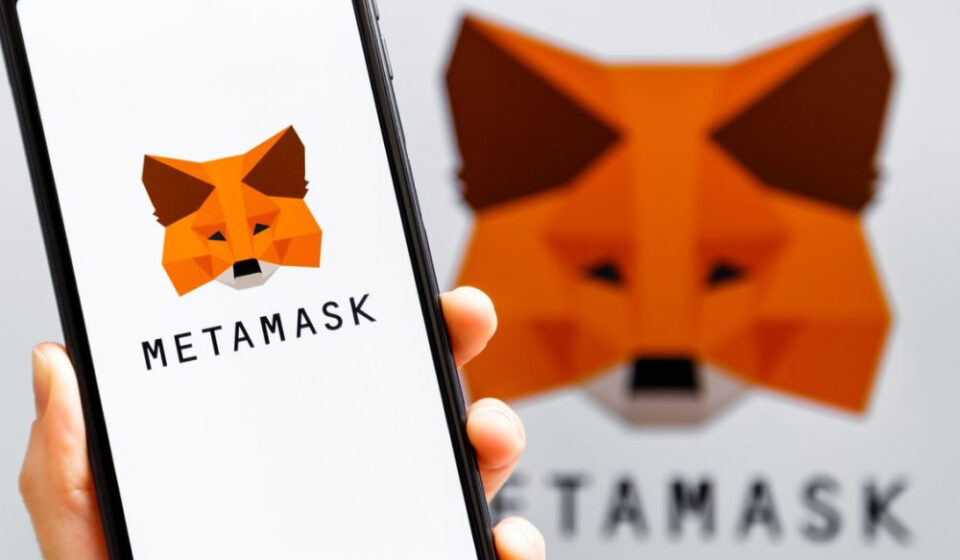
MetaMask is a non-custodial cryptocurrency wallet primarily built for the Ethereum ecosystem. It was created by ConsenSys in 2016 and has grown into the most widely used Web3 wallet in the world, with over 30 million monthly active users as of recent reports.
It’s available as a browser extension (Chrome, Firefox, Brave, Edge) and as a mobile app (iOS and Android). That dual presence — desktop and mobile — has been a key part of its appeal, especially for users who spend a lot of time interacting with decentralized applications from a computer.
At its core, MetaMask gives you a self-custodial Ethereum wallet where you hold your own private keys, connect to dApps, sign transactions, and manage tokens. Over the years it’s expanded to support multiple EVM-compatible networks and introduced features like token swaps, a portfolio dashboard, and cross-chain bridging.
Key Features of MetaMask
1. Browser Extension — The Crown Jewel
MetaMask’s browser extension is hands-down its strongest asset. No other wallet has matched the seamlessness of how MetaMask integrates with the desktop Web3 experience. When you visit Uniswap, OpenSea, Aave, Compound, or virtually any Ethereum-based dApp, MetaMask is already waiting. A single click to connect, a pop-up to confirm, and you’re in.
This level of integration took years to build and reflects MetaMask’s long history in the space. Competing wallets often feel like they’re playing catch-up when it comes to desktop dApp compatibility.
2. EVM-Compatible Multi-Network Support
Out of the box, MetaMask supports Ethereum Mainnet, and with a few clicks you can add any EVM-compatible network — Polygon, Arbitrum, Optimism, Avalanche, BNB Smart Chain, Base, zkSync, and many more. Chainlist.org makes this even easier, letting you add networks in seconds without manually entering RPC details.
This flexibility is one of MetaMask’s strongest points for power users. If a new EVM chain launches, you can be on it almost immediately.
That said, MetaMask does not natively support non-EVM chains like Solana, Cardano, or Cosmos. For those, you’ll need a separate wallet, which can be a meaningful limitation for users who operate across multiple ecosystems.
3. Token Swaps
MetaMask has a built-in token swap feature that aggregates liquidity from multiple DEXes to find competitive rates. The feature works well and is easy to use — you select your input token, output token, set your slippage tolerance, and swap. It’s convenient and removes the need to navigate to an external DEX for simple trades.
The catch? MetaMask charges a 0.875% service fee on top of the DEX fees and gas costs. For small transactions this is barely noticeable, but for larger swaps it adds up. If you’re regularly swapping significant sums, going directly to a DEX like Uniswap will almost always be cheaper.
4. Portfolio Dashboard
MetaMask introduced a portfolio view at portfolio.metamask.io that lets you track your token balances and NFTs across multiple MetaMask wallets and connected accounts. It’s a useful addition for people managing multiple wallets, though it’s still maturing compared to dedicated portfolio trackers like Zerion or DeBank.
5. Cross-Chain Bridging
The MetaMask Bridge feature allows you to move assets between supported networks directly within the app. It sources quotes from multiple bridge providers and shows you estimated times and fees side by side so you can pick the best option. It’s a genuinely useful feature that saves you from manually navigating third-party bridge interfaces.
6. NFT Display and Management
MetaMask now automatically detects and displays NFTs across supported networks. You can view your NFT collection directly in the wallet, and on mobile the display is visually clean. It’s not a marketplace — you can’t list or sell from within MetaMask — but as a storage and display tool, it does the job adequately.
7. Hardware Wallet Integration
MetaMask supports Ledger and Trezor hardware wallets, allowing you to use your cold storage device to sign transactions while still benefiting from MetaMask’s dApp connectivity. This is a critical feature for security-conscious users holding significant value, and MetaMask’s implementation here is one of the most polished in the industry.
8. Mobile App
MetaMask’s mobile app includes a built-in Web3 browser, allowing you to access dApps from your phone. The experience is decent, though in my experience the mobile app has historically lagged behind the browser extension in terms of reliability and polish. That gap has narrowed considerably in recent years, but the extension still feels like the primary product.
MetaMask Security: How Safe Is Your Crypto?
Security is the most important factor when choosing a crypto wallet, so let’s get into it properly.
Non-custodial by design. When you create a MetaMask wallet, you receive a 12-word Secret Recovery Phrase. MetaMask never has access to this phrase. Your private keys are encrypted and stored locally on your device or browser. ConsenSys cannot freeze your account, access your funds, or recover your wallet if you lose your phrase.
Open source. MetaMask’s code is publicly available on GitHub, which means independent security researchers can review and audit it. This transparency is a meaningful trust signal.
Phishing protection. MetaMask maintains a blocklist of known phishing sites and warns users when they try to connect to flagged domains. It’s not foolproof, but it adds a real layer of protection.
Hardware wallet support. As mentioned, the ability to sign transactions with a Ledger or Trezor device is a major security upgrade for anyone storing significant value.
What you need to watch out for: MetaMask’s popularity makes it a prime target for scammers. There are countless fake MetaMask websites, browser extensions that impersonate MetaMask, and social media accounts pretending to offer MetaMask support. Always download MetaMask from metamask.io only. Never share your Secret Recovery Phrase with anyone, for any reason — MetaMask support will never ask for it.
Transaction phishing is also a growing threat. Malicious dApps can present you with a transaction that looks routine but actually grants them access to drain your wallet. Always read what you’re signing carefully, and use a tool like Revoke.cash periodically to audit and revoke token approvals you no longer need.
One area of legitimate concern is the data MetaMask collects. In 2022, ConsenSys updated its privacy policy to clarify that when using MetaMask’s default RPC endpoint (Infura), IP addresses and wallet addresses can be logged. Users who are privacy-conscious should configure MetaMask to use a third-party RPC provider like Alchemy, QuickNode, or a personal node.
User Experience: What’s It Really Like to Use?
For experienced crypto users, MetaMask is a well-oiled machine. The extension is fast, the transaction signing flow is familiar, and the ability to customize gas fees — including EIP-1559 fee parameters — gives power users the control they want.
For beginners, the experience is more of a mixed bag. The interface has improved significantly over the years, but it still carries some rough edges. Gas fee settings can be confusing. The difference between “Slow,” “Average,” and “Fast” doesn’t always translate to intuitive expectations. Failed transactions — often the result of slippage or gas miscalculation — can leave new users baffled.
The onboarding flow has gotten better, but there’s no getting around the fact that setting up a crypto wallet for the first time is inherently daunting. MetaMask does a reasonable job of explaining the importance of the Secret Recovery Phrase, though users routinely underestimate how important it actually is.
The mobile app, while much improved, still occasionally suffers from transaction loading delays and browser connectivity quirks. For mobile-heavy users, wallets like Trust Wallet or Rabby Mobile may offer a smoother day-to-day experience.
Customer support is a consistent pain point. MetaMask does not offer direct customer support. Your options are their help documentation, community forums, and Discord. Given that MetaMask serves tens of millions of users handling real money, the lack of responsive support is a genuine gap — one that leaves many users frustrated when something goes wrong.
MetaMask vs. Trust Wallet vs. Rabby: How Does It Compare?
MetaMask vs. Trust Wallet: MetaMask wins on desktop and Ethereum ecosystem depth. Trust Wallet wins on mobile experience and native multi-chain support for non-EVM chains. Serious crypto users often use both.
MetaMask vs. Rabby Wallet: Rabby is the newer, more security-focused alternative built specifically for EVM chains. It includes a transaction pre-simulation feature that shows you exactly what will happen before you confirm a transaction — something MetaMask lacks. Rabby is gaining a strong following among DeFi power users who prioritize security and clarity. If you spend a lot of time on DeFi protocols, Rabby is worth serious consideration.
MetaMask vs. Coinbase Wallet: Coinbase Wallet is a close competitor, also available as a browser extension and mobile app. It has a slightly smoother onboarding experience and better integration with the Coinbase ecosystem, but MetaMask has broader dApp compatibility and a more established track record.
MetaMask Pros and Cons
What Works Well:
- Best-in-class browser extension for desktop Web3 use
- Deep integration with virtually every Ethereum-based dApp
- Flexible EVM network support — add any EVM chain quickly
- Solid hardware wallet integration (Ledger, Trezor)
- Token swaps with multi-DEX aggregation
- Cross-chain bridging built in
- Open source with a long security track record
- Gas fee customization for power users
Where It Falls Short:
- No native support for non-EVM chains (Solana, Cardano, Cosmos, etc.)
- 0.875% service fee on in-app swaps
- Customer support is essentially non-existent
- Default Infura RPC raises privacy concerns for some users
- Mobile app still trails the extension in polish
- No transaction pre-simulation (unlike Rabby)
- Can be overwhelming for complete beginners
- History of phishing attacks targeting its users due to its popularity
Who Should Use MetaMask?
MetaMask is an excellent choice for:
- Ethereum and EVM ecosystem users — if your world revolves around Ethereum and its Layer 2s, MetaMask is still the wallet
- Desktop-first users who do most of their crypto activity from a laptop or desktop browser
- DeFi participants who interact with protocols like Uniswap, Aave, Curve, and Compound daily
- NFT traders who buy and sell on platforms like OpenSea, Blur, or LooksRare
- Developers building on Ethereum who need a reliable, well-documented wallet for testing and integration
- Hardware wallet users who want the best Ledger/Trezor integration
MetaMask is less ideal for:
- Multi-chain users who actively use non-EVM chains like Solana or Cosmos
- Mobile-first users who prefer a smoother app experience
- Complete beginners who might benefit from a more hand-holding onboarding flow
- Privacy-focused users who are uncomfortable with Infura’s data logging (unless they configure a custom RPC)
Tips for Getting the Most Out of MetaMask
If you decide MetaMask is the right wallet for you, here are a few things worth doing from the start:
Change your RPC endpoint. Go to network settings and replace Infura with a custom RPC from a provider like Alchemy or your own node if privacy matters to you.
Use a hardware wallet. If you’re storing anything beyond a small amount, connect a Ledger or Trezor. The setup takes twenty minutes and adds a layer of protection that software wallets simply can’t match.
Audit your token approvals. Use Revoke.cash or Etherscan’s Token Approval Checker periodically to revoke permissions you no longer need. This is one of the most underused security habits in crypto.
Bookmark the official site. Only ever access MetaMask settings or download links from metamask.io. Bookmark it. Use it. Don’t Google “MetaMask download” and click the first result.
Enable the security alerts. MetaMask has built-in phishing detection. Make sure it’s enabled in your settings and don’t dismiss warnings casually.
Final Verdict: Is MetaMask Worth Using in 2025?
Yes — especially if you live in the Ethereum ecosystem.
MetaMask earned its position as the world’s most used Web3 wallet through years of consistent development, deep dApp compatibility, and reliable security. Those advantages don’t evaporate overnight, and for Ethereum and EVM-focused users, no other browser extension wallet comes close to matching the overall experience.
That said, MetaMask is no longer the obvious default for every user. If your crypto activity spans non-EVM chains, Trust Wallet handles multi-chain storage better. If you want cleaner transaction clarity, Rabby is worth a look. If you prefer mobile over desktop, other options might suit your workflow better.
But if you’re an Ethereum-ecosystem power user who spends time on DeFi, trades NFTs, or builds on EVM chains — MetaMask remains the gold standard. It’s not perfect, but it’s earned its place at the top for reasons that still hold up.
MetaMask Review: Quick Summary
| Feature | Rating |
|---|---|
| Security | ⭐⭐⭐⭐½ |
| Browser Extension | ⭐⭐⭐⭐⭐ |
| Mobile App | ⭐⭐⭐⭐ |
| EVM Multi-Network Support | ⭐⭐⭐⭐⭐ |
| Non-EVM Chain Support | ⭐ |
| Swap Feature | ⭐⭐⭐⭐ |
| Hardware Wallet Integration | ⭐⭐⭐⭐⭐ |
| Customer Support | ⭐⭐ |
| Beginner Friendliness | ⭐⭐⭐ |
| Overall | ⭐⭐⭐⭐½ |
Disclaimer: This review is for informational purposes only and does not constitute financial advice. Cryptocurrency carries significant risk. Always conduct your own research and consult a qualified professional before making financial decisions.